
General
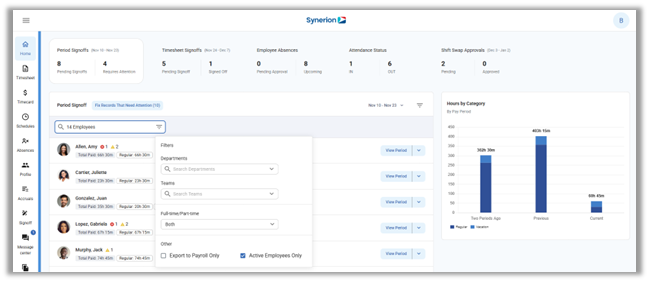
Employee Selector on the Home screen – Users can now filter the Period Signoff and other dashboard widgets using the full employee selector. Users can easily multi-select employees, or filter by department or teams directly on the Home screen.
Scheduler
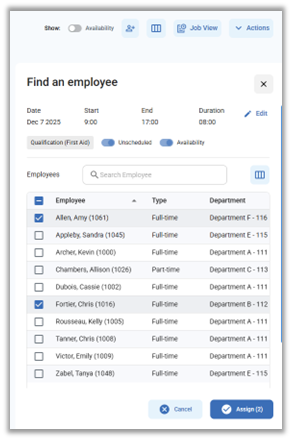
Employee Picklist – A scheduling user can use the Picklist to identify employees based on various criteria (e.g. target shift, qualifications, availability, etc.) and quickly create schedules for them.
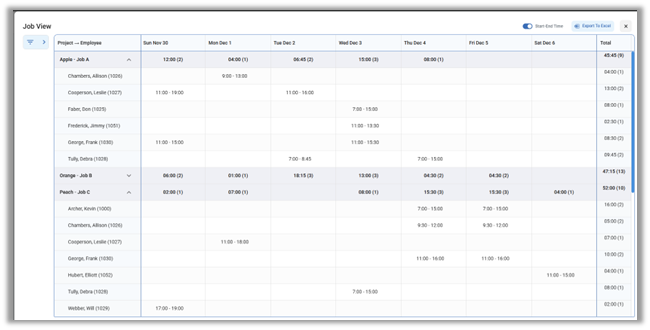
Job View – Job view will allow users to view the scheduled jobs and scheduled departments for selected employees in a chosen date range. This can be used to ensure that departments or jobs have the required coverage and that no assignments have been missed.
Copy Functions – The Mass Copy function now allows copying absences and schedule notes into the future, and the Copy Schedules function has been added back with more functionality
Timesheet Page
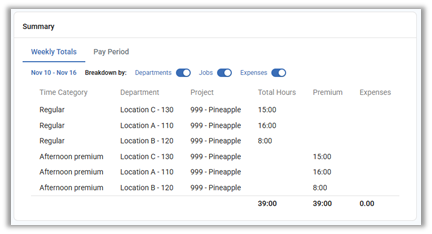
Summary Panel – Users can now see Premium hours and Job Descriptions in the summary panel when reviewing Timesheets
Admin Pages
Additional pages ported to Bolt – The Retail Scheduler and Notifications configuration pages have been ported to Bolt for non-Portal customers. Additionally, the Manage Visibility and User Management pages have been ported to Bolt for all users.
Configuration Pages
Period Selection page – The Period Selection configuration page has now been ported to Bolt with a new look and feel.
SAI Insights
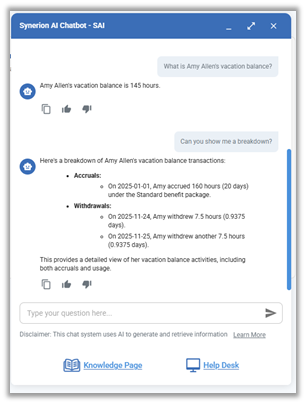
SAI is now smarter and can answer questions related to an employee’s accrual balances, employee schedules and labor allocation, as well as original vs. edited punches in the system.
Mobile App
Managers can now approve employee Timesheets via the Mobile App.