
AI and Qumulex Camera Integration
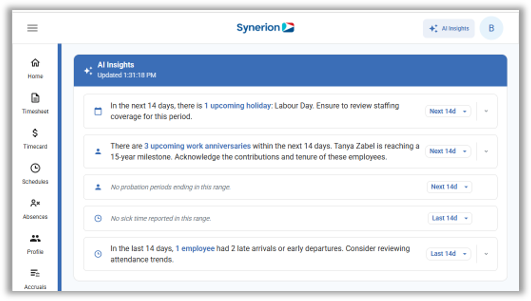
AI Insights – A new ‘AI Insights’ button has been added, giving users proactive insights about upcoming holidays, work anniversaries, probation periods ending, as well as recent sick time and late entries/early exists.
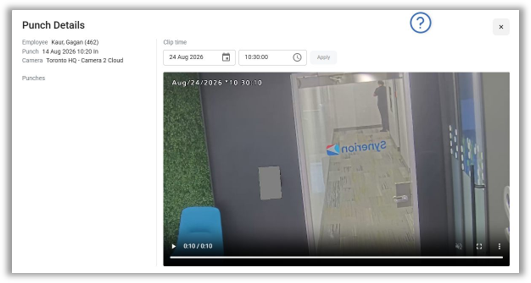
TimeSight AI – The new TimeSight AI feature links supported QxR camera footage to punch records so supervisors can visually confirm who punched, targeting buddy-punching and audit accuracy. This feature requires additional hardware and configuration. Please contact our sales team for more information.
Scheduler Enhancements
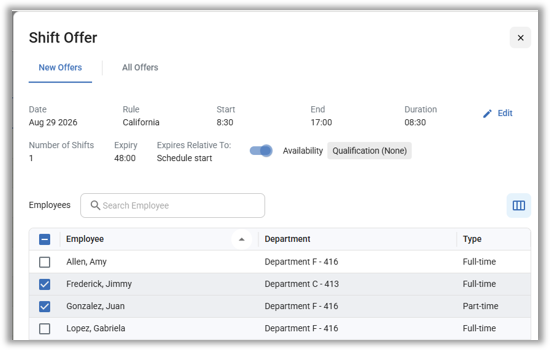
Shift Offering – Managers can offer an open shift to a list of employees, an entire department or a team. This is useful for filling schedule gaps caused by sick call-in replacement or filling a schedule gap with casual, part-time or overtime coverage.
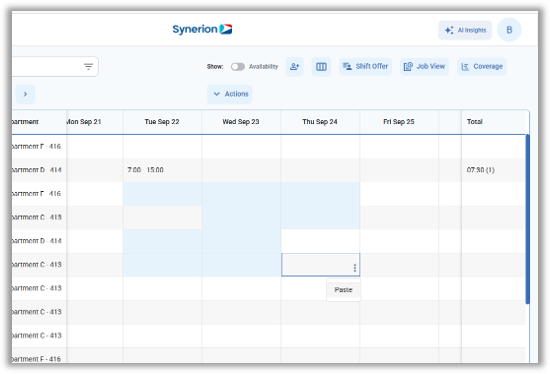
Multi-select cells and Drag to Fill – Like in Classic, it is now possible to multi-select cells by click-dragging or Ctrl-clicking in order to quickly paste or delete schedules. Additionally, a drag to fill feature has been added quickly copy a schedule to neighboring cells.
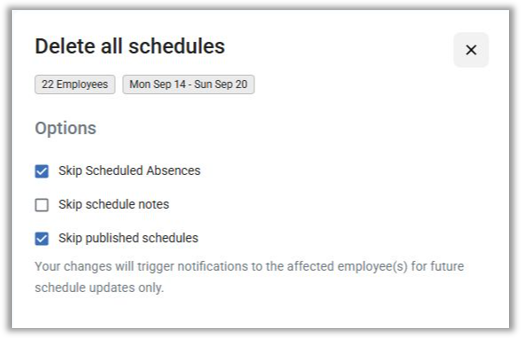
Delete All – The Delete All function has returned, allowing managers to quickly bulk-delete all visible schedules in the grid.
Timesheets
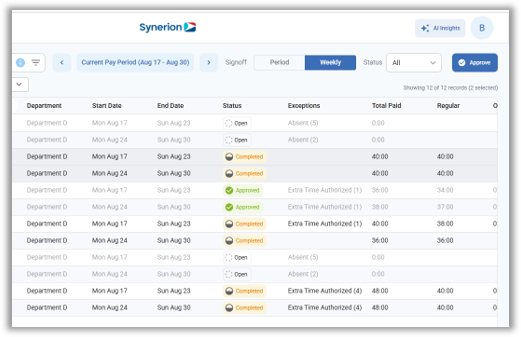
Timesheet Signoff page – Like in Classic, managers can now use the Timesheet Signoff page to easily review employee’s timesheets by pay period, with multi-employee selection and filtering. Time Categories and totals are presented in a grid view much like the Period Signoff screen for punching employees.
ESS and Mobile
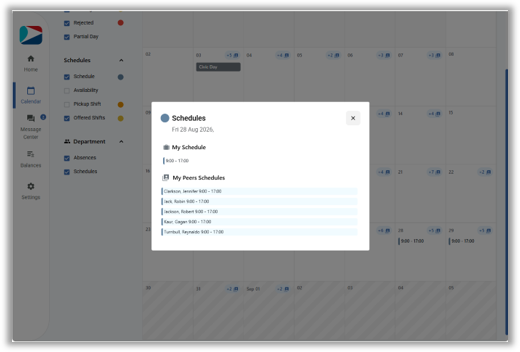
Peer Schedules – Department schedules can now be displayed to employees in Bolt, both in the web and mobile app.
SSO login – OIDC login (SSO) is now available in the manager mobile app.
Bolt 2.1 Enhancements
Work Rule Definitions page – The Work Rule Definitions page has been updated for Bolt with a new look and feel.
Idle Timeout – After a session times out, logging back in now restores the last page or specific Home page tab, rather than always defaulting to the Home page.
Back to Classic – Back to Classic now opens in the same tab, rather than opening a new tab.
Collapsible Home screen sections – Certain sections of the Home screen can now be expanded or collapsed in order to maximize the visible data on the screen.