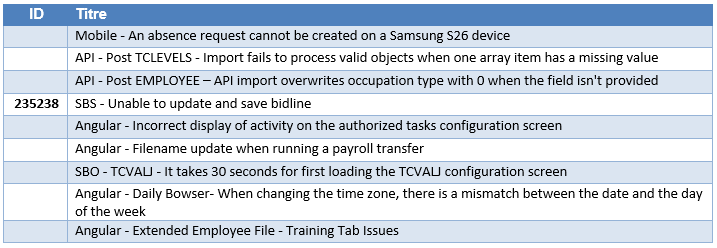
Important Notices
Features that introduce default behavioral changes
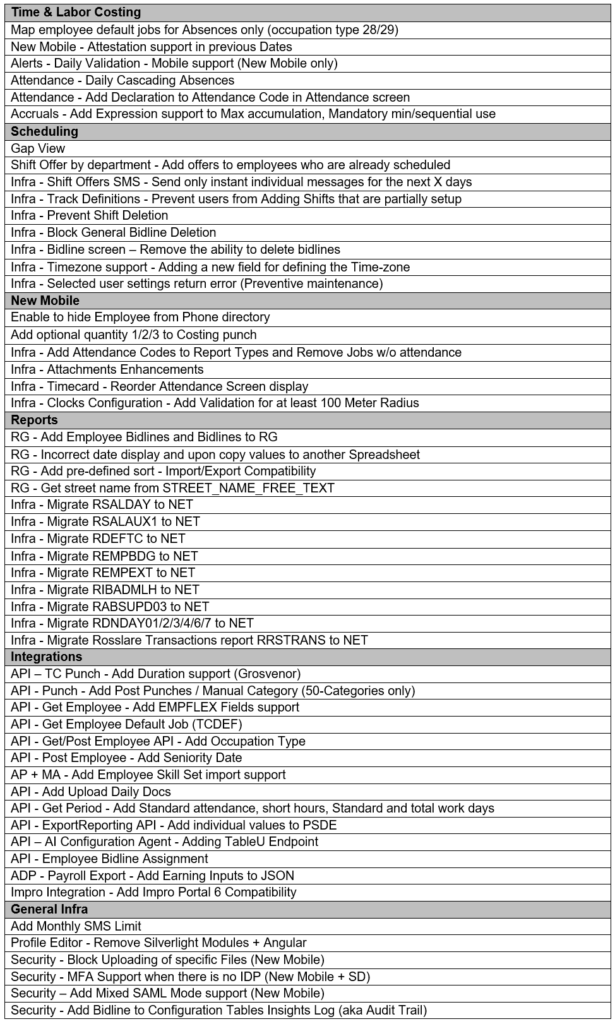
Clocks – Add Validation for min 100 Meter Radius (11334) – Following customer reports of failed GPS punches, we identified that many clocks were configured with a radius of less than 100 meters. Since such configurations can lead to unreliable GPS recognition, the product has been updated to enforce a minimum radius of 100 meters in the clock table. Existing clock tables with radius < 100 will continue to operate however the validation will kick-in when creating a new clock table and/or updating an existing table.
Map employee default jobs for Absences only / occupation type 28/29 – This enhancement introduces support for default job assignment on absence entries only. Today, default jobs apply to both attendance and absences or require manual assignment during absences, creating unnecessary administrative effort. The new capability enables automatic job allocation for absences while continuing to require employees to punch attendance and job transactions, improving efficiency and preserving accurate labor tracking.
Scheduling fail-safe mechanisms – This release introduces several safeguards designed to improve schedule integrity and reliability by preventing configuration errors. Users can no longer add Shifts that are partially configured to tracks (11342) or delete shifts from the track when employee assignments exist (11342/11243). In addition, general bidlines cannot be deleted when there are employees assigned to them (10949).
Profile Editor – Remove legacy Silverlight Modules (10256) – The legacy Silverlight code has been withdrawn from maintenance. This is another step towards a pure Angular environment.
What’s New
This section describes the new features in this version.
Customers Fixed Bugs
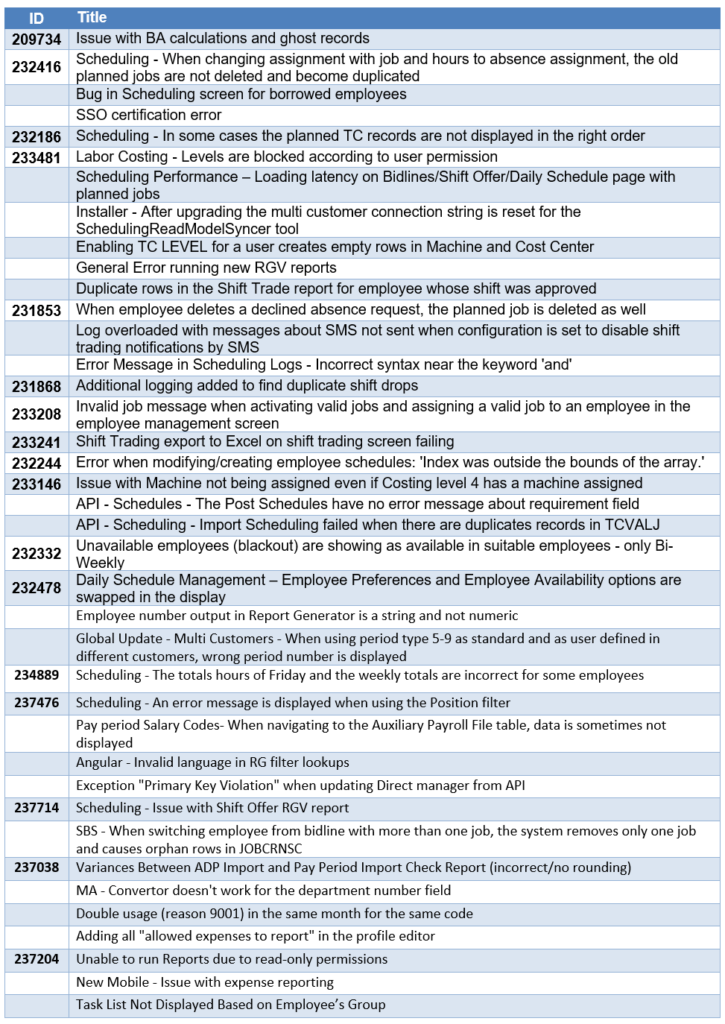
6.26.9.1
Customers Fixed Bugs
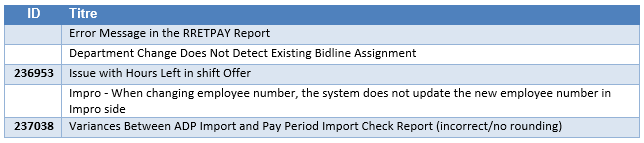
6.26.9.2
Customers Fixed Bugs

6.26.9.3
Customers Fixed Bugs