Scheduling
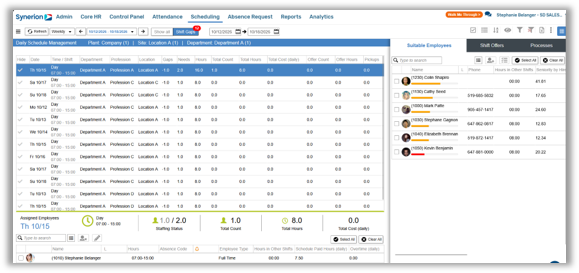
Gap View – The new Shift Gaps screen gives users an easy-to-read list view of scheduling gaps, allowing the user to display selected date ranges and even hide unimportant gaps. Like the Daily Schedule Management screen, shifts can be offered and gaps can be filled directly from this screen.
Scheduling fail-safes – Several fail-safes have been added to improve schedule integrity, such as blocking the ability to add partially configured shifts to tracks, and deleting shifts from tracks when employee assignments exist. In addition, general bidlines cannot be deleted when employee are assigned to them.
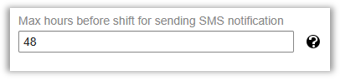
SMS Shift offer notifications – In order to reduce the number of Shift Offer notifications sent to employees, a configurable time range has been added to the system. If a shift offer falls within the configured time range (e.g., 48-hours), a regular shift offer will be sent to the employee. If additional shifts are offered outside of the configured time range, the employee will receive only one SMS notification informing them that additional shift offers are available in the mobile application.
Shift offers to employees who are already scheduled – A new parameter has been added to the system to display employees who are already scheduled on that day in the list of suitable employees for a shift offer. The employee must be available during the shift offer hours and meet the existing criteria for employee selection.

Absence Configuration
Daily Cascading Absences – A new setting displays the actual absence code being used when using cascading absences when it is not the main absence code.
APIs
New APIs – Several new APIs have been added, such as:
- Punch – Add post punches / manual category (50 categories only)
- GET Employee default jobs (TCDEF)
- Upload Daily Docs added
Enhanced APIs – There are also several enhancements to existing APIs:
- TC Punch – Duration support added
- GET Employee – EXPFLEX field support added
- GET/POST Employee – Occupation type added
- POST Employee – Seniority date added
- API and MA – Add Employee Skill Set import support
- GET Period – Standard Attendance, short hours Standard and total work days added
Reports
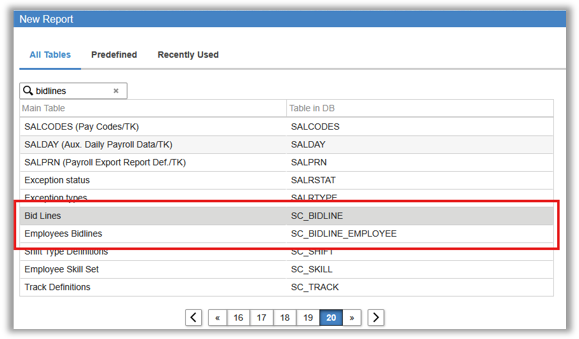
Bidlines and Employee Bidlines – Bidlines and Employee Bidlines tables are now available via the Report Generator
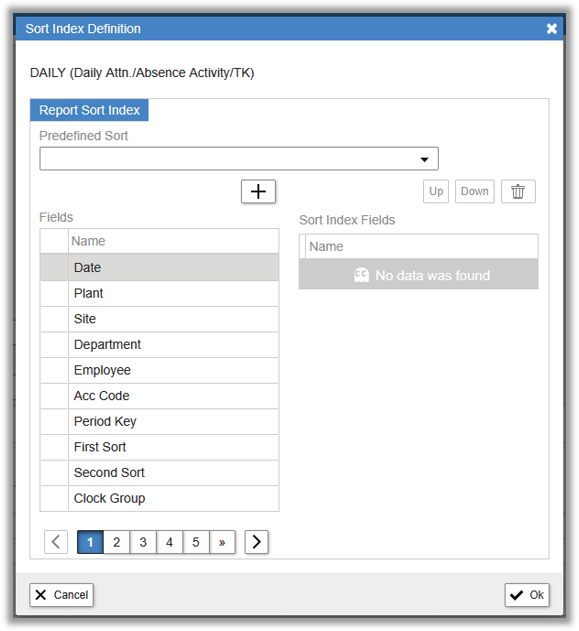
Pre-defined sort – Sorting order in exported reports is now configurable via the Pre-defined sort function
Reports migrated to .NET – Several legacy reports have been migrated to .NET. Please see the 6.26.9 release notes for the full list
AI Chatbot
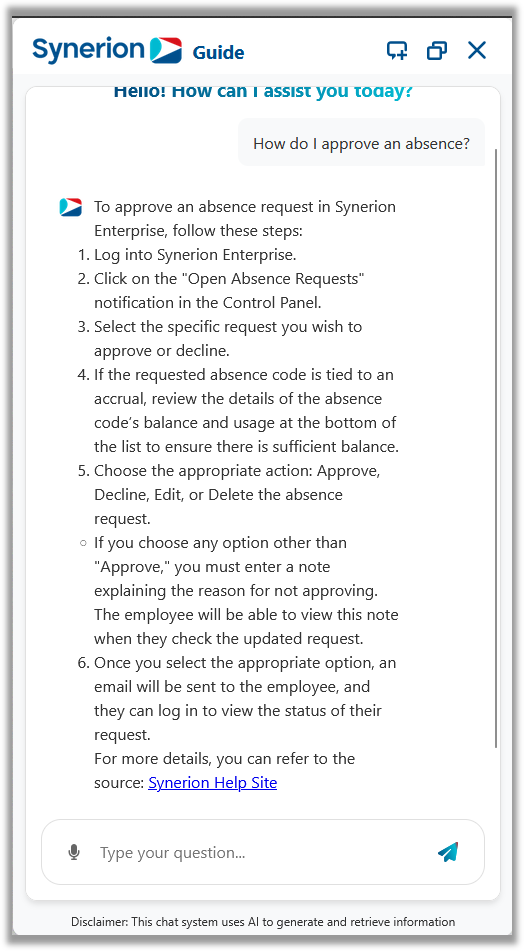
Synerion AI (SAI) – SAI is an integrated artificial intelligence tool designed to help users quickly locate relevant documents and step-by-step instructions within Synerion’s knowledge base and manuals. SAI can help reduce search and training time, and helps minimize errors by retrieving the most relevant, updated documents.
Once activated, SAI can be enabled or disabled at a profile level. For the moment, it is not recommended to enable SAI on Employee Self-serve profiles.
If you’d like to be among the first to try SAI, please reach out to the Synerion Enterprise Customer Care department to activate it.